CapCut vs Alight Motion 2026 Best Video Editing App
Discover CapCut vs Alight Motion in 2026 and choose the best video editing app for your needs. Learn features, ease of use, and which app fits you.
In today’s digital era, video content dominates platforms like TikTok, YouTube Shorts, and Instagram Reels. Whether you are a beginner creating simple edits or a professional working on motion graphics, choosing the right editing app is extremely important.
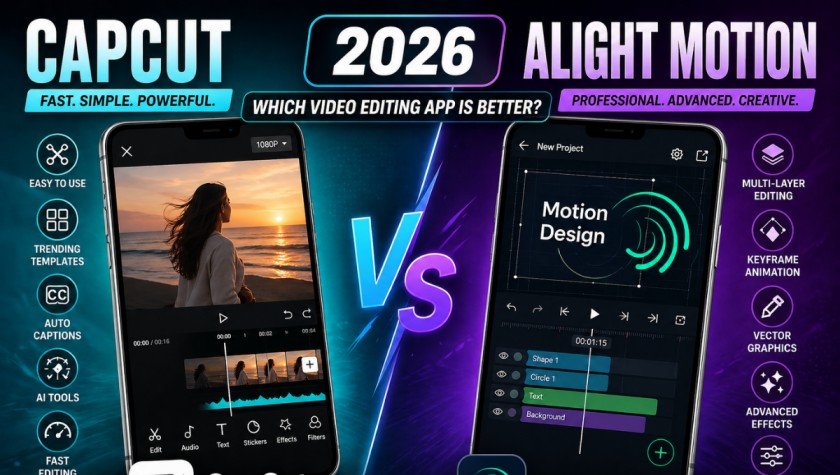
CapCut and Alight Motion are two of the most widely used mobile video editing apps in 2025. Each is powerful in its own right, but caters to different user needs. CapCut is a fast, easy-to-use app for creating viral content, while Alight Motion is more geared toward motion designers and animators.
In this in-depth comparison of CapCut vs Alight Motion, we will take a look at features, ease of use, effects, video quality and overall performance so you can choose the right video editing app for your projects.
Overview of CapCut and Alight Motion
Both CapCut and Alight Motion are well-known video editing apps, but they are targeted at different audiences. CapCut is an easy-to-use video editing app. It is commonly used to edit TikTok, Instagram Reels and YouTube Shorts. Its user-friendly design and AI-powered tools and templates make it easy for users to produce high-quality videos quickly.
But Alight Motion is a motion graphics app. It provides keyframe animation, multi-layering, and vector graphics, allowing the user to have full control over the editing process and make complex edits. So, CapCut is ideal for simple and fast editing, while Alight Motion is ideal for professional editing.
User Interface and Ease of Use
When comparing CapCut vs Alight Motion, ease of use is one of the biggest differences.
CapCut Interface
CapCut is user-friendly. It’s user-friendly with a simple interface. Editing is largely drag-and-drop, tools are clearly laid out.
Users can quickly:
- Cut clips
- Add music
- Apply templates
- Export videos in seconds
It is perfect for users who want fast results without learning complex tools.
Alight Motion Interface
Alight Motion’s interface is more complex. It has layers, timelines and keyframes.
It is more powerful, but needs a learning curve. It is more appropriate for those familiar with editing.
Editing Features Comparison
Both apps offer strong editing tools, but their approach is very different.
Timeline and Layer Control
CapCut has a simple and intuitive timeline. This is ideal for quick editing. Alight Motion provides multi-layer editing, with each element editable. This is great for advanced animations.
Animation Tools
CapCut has simple keyframe animation. Alight Motion, on the other hand, excels in keyframe animation, offering control over paths, timing, and other effects.
Text and Audio Editing
CapCut provides pre-designed text templates, auto-captions and music sync. Alight Motion is more customizable, but needs to be set up for more advanced effects.
Effects, Filters, and Templates
Effects play a major role in modern video editing.
CapCut Effects
CapCut is known for its huge library of trending templates and effects. Users can apply viral styles with just one tap.
It also includes:
- Auto beat sync
- AI background removal
- Face enhancement filters
This makes CapCut perfect for social media trends.
Alight Motion Effects
Alight Motion focuses on customization. It does not rely on templates but allows users to build their own effects from scratch. This gives more creative freedom but requires more effort.
Export Quality and Performance
Export quality is important for professional use. CapCut can export at 4K resolution with performance and no watermark. It is fast to export even with slower devices.
Alight Motion can also export in high quality, but free accounts are usually limited to the use of watermarks and other features. Pro users can export with unlimited control and features.
Explore more here: CapCut Urban Jungle Template
CapCut vs Alight Motion: Pros and Cons
CapCut Advantages
- Easy to use
- Free with powerful features
- Best for TikTok and Reels
- AI tools available
- Fast editing workflow
CapCut Limitations
- Limited advanced animation control
- Less professional customization
Alight Motion Advantages
- Advanced animation tools
- Full creative control
- Best for motion graphics
- Professional-level editing
Alight Motion Limitations
- Difficult for beginners
- Watermark in free version
- Slower workflow
Which One Should You Choose?
The choice between CapCut and Alight Motion depends on your editing goals.
- If you are a beginner or social media creator who wants fast and trending content, CapCut is the best choice.
- If you are a professional editor or motion designer who needs advanced control, Alight Motion is more suitable.
In simple terms, CapCut focuses on speed and simplicity, while Alight Motion focuses on creativity and precision.
Conclusion
Both CapCut and Alight Motion are great video editing apps in 2025, but for different purposes. CapCut is ideal for users who need fast, aesthetic and shareable videos without a steep learning curve. Alight Motion is best for creators who need advanced animation and editing.
If you want to grow on social media and create content quickly, choose CapCut. But if you’re interested in animation and design, Alight Motion is the superior choice.